.svg)

Digital credentials have become essential for recognising skills and achievements in online education, but choosing the right platform can be overwhelming.
I've seen organisations struggle to compare features, pricing, and security, especially when every provider claims to be the best. Sorting through technical jargon and hidden limitations can slow down your decision and leave you second-guessing your choice.
In this article, I'll break down the core concepts behind digital credentials, explain the roles platforms play, and highlight the features that matter most for educators and institutions. You'll get side-by-side comparisons of leading platforms, practical advice for matching solutions to your needs, and clear steps for secure, compliant implementation.
Whether you're scaling a MOOC, managing compliance, or aiming to boost learner motivation, you'll leave with a checklist and actionable insights to make a confident, informed decision.
Understanding Top Digital Credential Platform
Digital Credentials and Platforms: Foundations & Key Concepts
A digital credential is a secure, verifiable record showing achievement, skill, or qualification—completely online.
It’s almost like a digital passport for your learning journey, instantly accessible wherever you go.
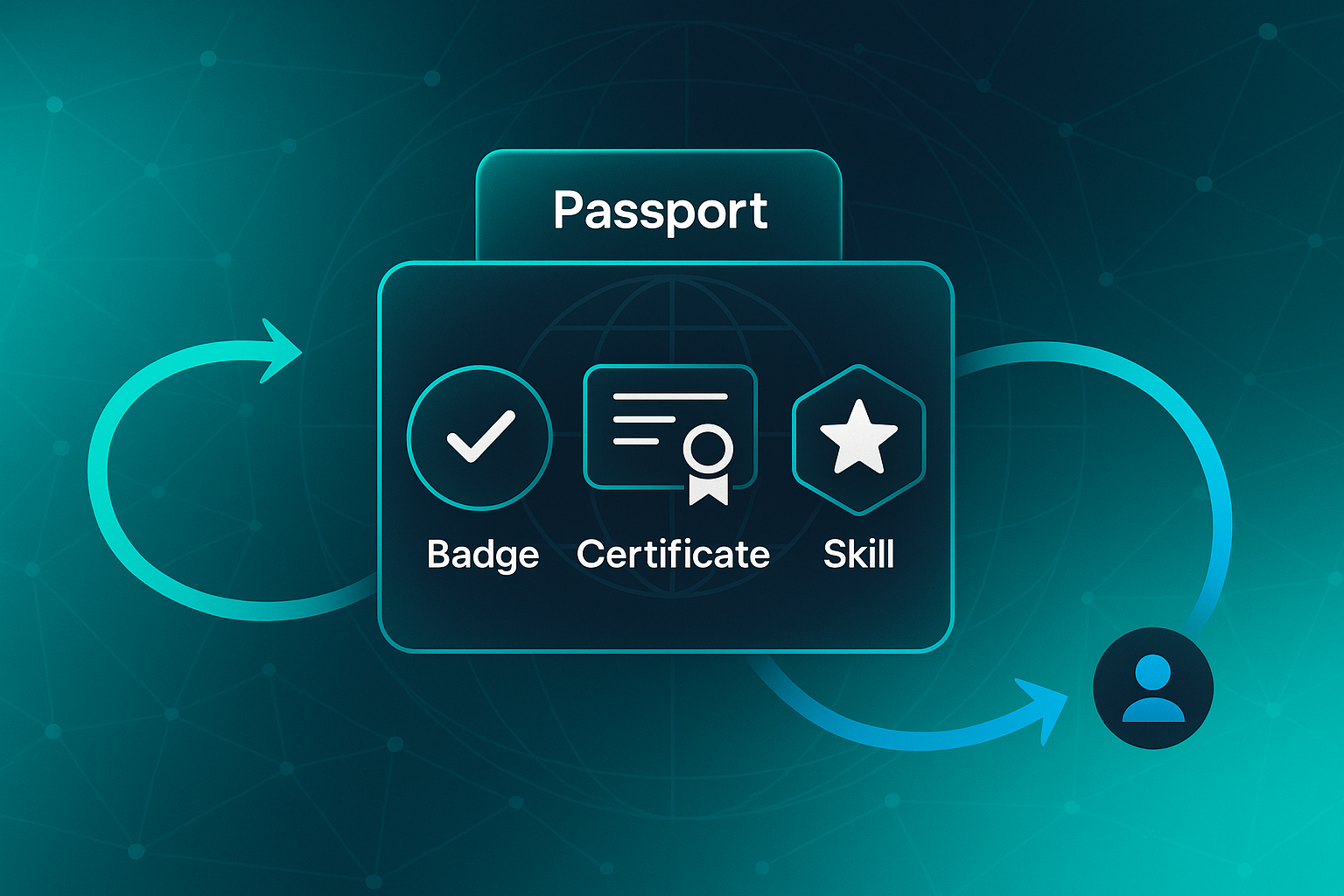
There are several main types, each bringing something different to the table for learners.
Types of Digital Credentials
- Digital Badges
Visual tokens that mark a skill or major milestone. - Certificates
Official documentation for completing longer courses or programmes. - Micro-Credentials
Awards focused on very specific skill sets, often modular or niche.
Unlike old-school paper certificates, these digital versions are instantly verified, globally shareable, and designed to be tamper-proof.
They’re not just digital copies—they’re protected, validated, and trusted.
A foundational element of a trusted digital ecosystem is a common standard for making credentials, competencies, and their relationships to learning and work available as beneficial, open data.
Most people store their credentials in digital wallets or online portfolios, making it easy to share with employers, universities, or peers whenever needed.
Who Issues Digital Credentials?
A wide range of organisations issue digital credentials, each with distinct needs.
- Online Training Providers
Deliver credentials for courses and skill modules. - Universities
Award certificates, degrees and micro-credentials for academic achievement. - MOOC Platforms
Manage large-scale badges and certificates for massive global audiences.
These organisations depend on a digital credential platform, specialised software working behind the scenes to create, issue, manage, and verify credentials.
Conceptual Roles and Layers of Digital Credential Platforms
Digital credential platforms operate across several layers, supporting achievement at every stage.
At the foundation, recognition converts verified learning outcomes into formal, digital tokens—a process key for credibility.
After creation, platforms take on a stewardship role.
They securely store credentials, help learners build portfolios, and enable continual updates as careers progress.
Verification Technologies
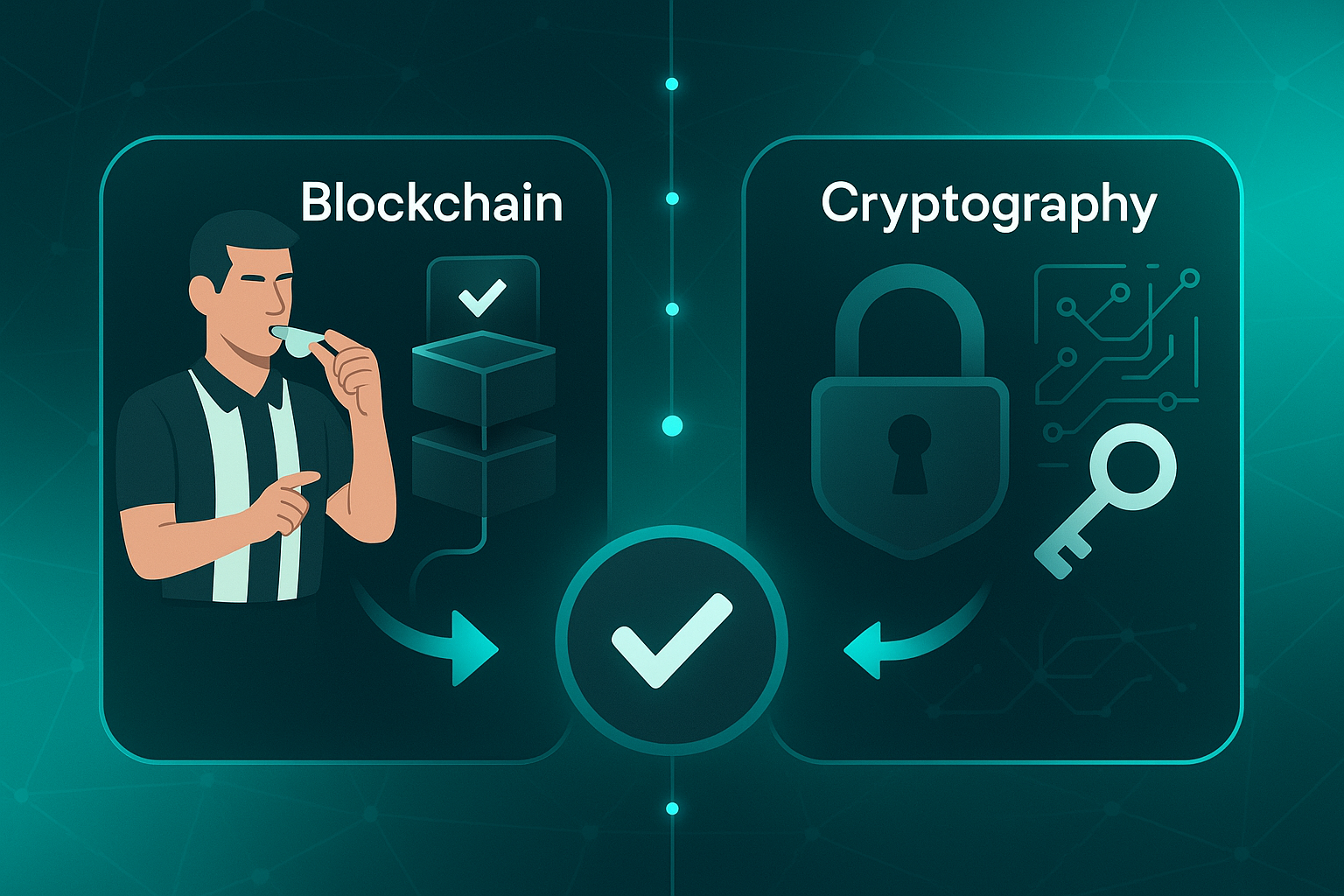
Verification is vital for trust. Here’s how modern platforms deliver it:
- Cryptography
Secures credential data, ensuring authenticity. - Blockchain
Creates a record that can’t be changed or altered.
These technologies work much like digital referees, confirming every achievement is genuine.
Integration and Scalability
Integration with learning management systems (LMS) and online course tools allows credentials to be triggered automatically as learners reach milestones.
Scalability is essential.
Whether managing boutique modules or massive open online courses, platforms must reliably handle thousands—or millions—of credentials.
Picture it as an invisible logistics network: credentials flow between systems, learners, and employers, keeping everything running smoothly behind the scenes.
These seamless integrations set the stage for understanding why digital credential platforms matter.
Why Digital Credential Platforms Matter
But what’s the real impact of all this?
For learners, motivation is boosted—progress becomes instantly tangible and portable.
Credentials are like digital passports in the professional world, opening new doors and opportunities.
For organisations, these platforms create powerful marketing assets.
Every shared credential acts as a mini-billboard for the institution’s brand.
On the operational side, efficiency improves—automation ensures fast, accurate delivery to global learners, cutting down manual work.
Prior to implementing an automated solution, one healthcare system’s compliance team was spending approximately 500 hours per month on manual credential verification. After implementation, this was reduced to just 50 hours per month.
Most importantly, verification technology builds trust with employers and stakeholders.
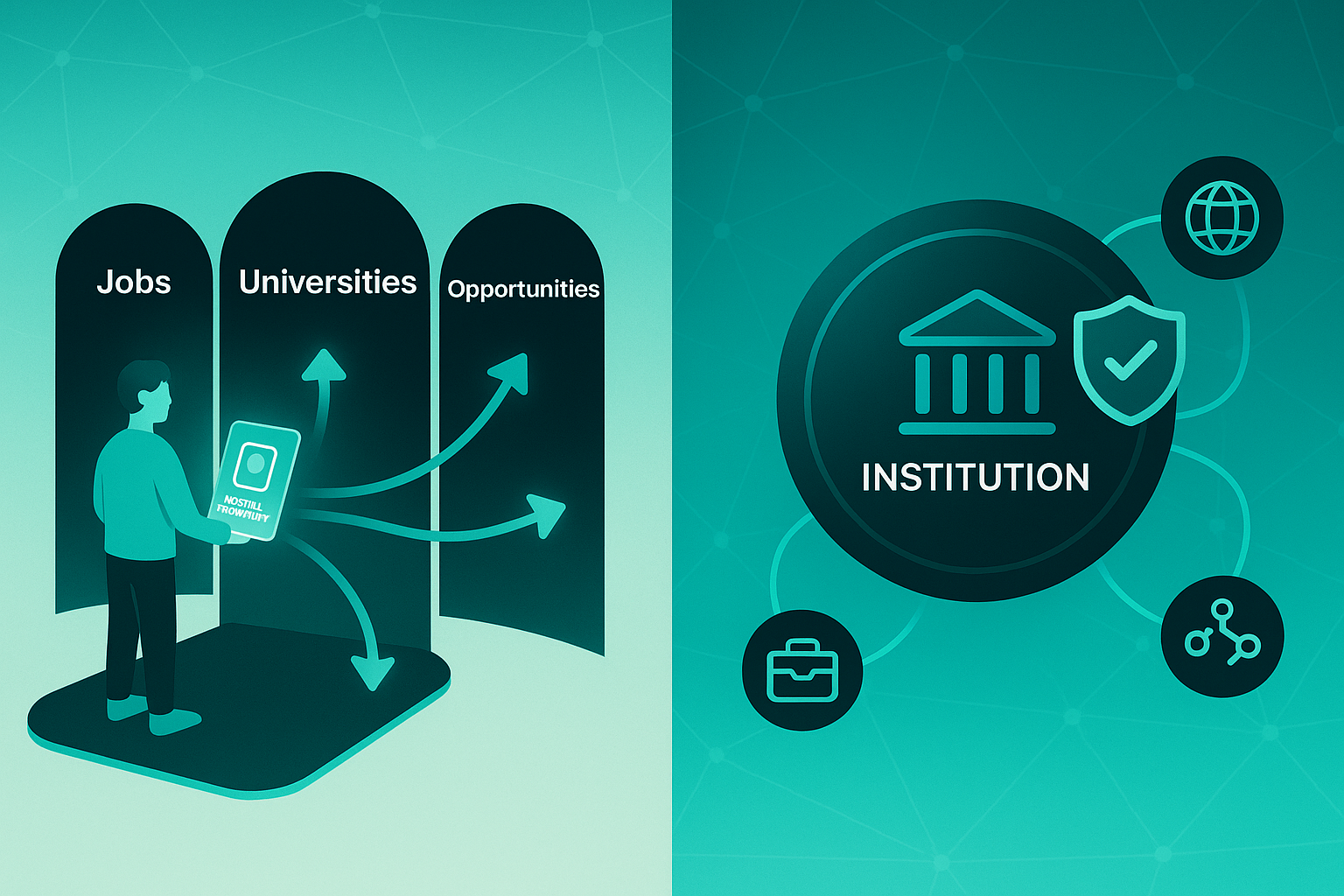
It turns digital credentials into valid currency in the skills marketplace.
This shift has transformed lifelong learning; anyone can keep refreshing their toolkit—no hassle or barriers.
Common Challenges and Misconceptions
Given all these benefits, some confusion and misconceptions still linger.
It’s easy to mistake credential platforms for access control systems.
In reality, they’re designed to recognise achievement—not just identity.
Some critics call digital badges “online stickers,” dismissing their usefulness.
Thanks to broad employer acceptance and tough technical standards, credentials now have significant weight and professional value.
For digital badges to be valuable, employers must recognize them as such. A 2020 survey found that more than half of human resource directors felt digital badges would play an important role in hiring in the future.
Of course, platforms come with their own sets of strengths: some focus on scalability, others on deep integration, and some prioritise trust.
Choosing well requires close, thoughtful evaluation—think of it as selecting the ultimate toolkit for your needs.
Given these complexities and important distinctions, it’s essential to know what truly sets top platforms apart.
Next, we’ll explore the features organisations should focus on when seeking solutions to elevate their online learning environments.
Critical Features of Top Digital Credential Platforms for Online Educators
The Essential Feature Set: Decision Criteria for Large-Scale Online Credentialing
When you’re picking out a digital credential platform—especially for high-volume settings like MOOCs or enterprise-level programmes—it’s easy to get overwhelmed by the options.
But really, what matters most is how each platform delivers on seven key features that make all the difference for both learner outcomes and smooth operations.
Let’s walk through them, so you know exactly which levers move the needle for online education at scale.
1. Bulk Credential Issuing
If you’re running big online courses, bulk issuing isn’t just nice to have—it’s crucial.
Certopus sets the standard here, offering unlimited bulk delivery that easily supports even MOOC-sized events.
Accredible, Credly, Badgr, Certifier, and TruScholar all offer robust bulk issuing at scale.
Dock, on the other hand, only provides limited bulk issuance.
It’s worth noting for truly massive campaigns.
2. White-Label and Brand Control
Brand credibility can’t be underestimated.
For many institutions, the ability to fully white-label credentials—that is, make sure they carry only your name and branding without a hint of another company—is absolutely essential.
Certopus and Certifier both deliver comprehensive white-label options, keeping your brand front and centre.
Accredible provides partial branding.
Others like Credly, Dock, Badgr, and TruScholar are more restrictive, with limited or no true white-label support.
3. Blockchain-Powered Verification
Getting tamper-proof, instantly verifiable credentials is rapidly becoming non-negotiable—especially if you work across borders or in regulated industries.
Dock and TruScholar are known for default blockchain-backed credentialing.
They safeguard every record against fraud.
Our solution, VerifyEd, delivers blockchain-based instant verification for every certificate or badge you issue.

This makes everything tamper-proof and trustworthy.
Platforms like Certopus, Accredible, Credly, Badgr, and Certifier stick to more traditional, centralised verification.
4. Advanced Analytics & Reporting
Ever wondered who actually opens, shares, or verifies their credential?
Detailed analytics and reporting let you manage engagement, spot trends, and measure campaign success.
Certopus goes above and beyond with industry-leading analytics.
Accredible, Credly, Dock, Certifier, TruScholar, and Badgr all offer advanced dashboards.
VerifyEd gives you open-standard analytics, which appeals to those wanting transparency.

5. Expiry, Renewal, and Lifecycle Management
Keeping credentials current (and reminding learners to renew) saves a lot of admin headaches.
Every platform on this list—Certopus, Accredible, Credly, Dock, Badgr, Certifier, TruScholar, and VerifyEd—now enables expiry and renewal flows.
That means less manual work for you, and keeps learners engaged with up-to-date achievements.
6. Mobile Delivery & Wallet Integration
For today’s global, mobile-first students, being able to grab and share credentials on a phone is non-negotiable.
Certopus, Accredible, Credly, Dock, Badgr, and Certifier all offer mobile wallet delivery (compatible with Apple, Android, or custom wallets).
VerifyEd takes a slightly different tack, with mobile-optimised browser access and quick QR code validation.
TruScholar has also made mobile delivery straightforward.
7. API Integration and Extensibility
Automation is key when you want to grow efficiently.
All the major platforms—Certopus, Accredible, Credly, Dock, Badgr, Certifier, TruScholar, and VerifyEd—back up their offerings with well-documented API and webhook support.
That opens the door for connections to LMS and HR systems, supporting frictionless automation and scaling.
At-A-Glance Comparative Table
Sometimes it helps to see everything side by side, so here’s how these platforms stack up across those key features:
| Platform | Bulk Issue | White-label | Blockchain | Analytics | Expiry/Renew | Mobile Wallet | API/LMS Integrations |
|---|---|---|---|---|---|---|---|
| Accredible | Yes | Partial | No | Advanced | Yes | Yes | Yes |
| Certopus | Unlimited | Full | No | Advanced | Yes | Yes | Yes |
| VerifyEd | Yes | No | Yes | Standard | Yes | QR/Browser | Yes |
| Credly | Yes | Limited | No | Advanced | Yes | Yes | Yes |
| Dock | Limited | Limited | Yes | Advanced | Yes | Yes | Yes |
| Badgr | Yes | No | No | Standard | Yes | Yes | Yes |
| Certifier | Yes | Full | No | Advanced | Yes | Yes | Yes |
| TruScholar | Yes | Limited | Yes | Advanced | Yes | Yes | Yes |
From this comparison, platforms like Certopus, TruScholar, and Certifier stand out if you care about unlimited issuing, flexible branding, and lifecycle automation.
Additionally, Dock and TruScholar take the lead when blockchain-backed verification is non-negotiable.
Examining these features side by side reveals that instant, secure, and streamlined digital delivery—along with open standards—makes VerifyEd a strong choice for modern, fast-moving educational organisations.
With these priorities mapped out, you’ve got a powerful filter to help you compare features and match them up with your own programme’s ambitions.
Next up, we’ll dig into holistic comparison strategies to really hone your shortlist and make a confident choice.
Looking to improve your course sales, marketing & experience?
Book a free course optimisation strategy call with one of our specialists.
Book a call
Comparing Top Digital Credential Platforms: Features, Costs, and Verification
Platform-by-Platform Feature and Limitation Breakdown
If you're choosing a digital credential platform for online education at scale, it quickly becomes a balancing act: cost, technical features, and ease of use.
It's not enough to just pick what looks good on paper. The details hidden within the product tiers, integration options, and automation capability make all the difference—especially for MOOCs and high-volume programmes.
Let's look at seven major players: VerifyEd, Credly, Accredible, Open Badge Factory, Badgr/Canvas, CertifyMe, and SimpleCert. Each one brings something unique, but no platform is perfect for everyone.
Before you scan the comparison table, think about what matters most—whether it's instant verification, white-label branding, bulk automation, or simply reliable delivery without technical headaches.
This table acts as your at-a-glance filter for the most important features, pain points, and pricing structures.
Agencies, universities, HR teams, and single instructors can all find vital context right here.
Take a moment to read across each row and see how the pain points and free plan limits interact with your real-world constraints.
Feature Comparison Table
| Platform | Automation/API | Bulk Issuing | Blockchain Verification | Mobile UX & Wallet | Analytics | Branding/White-label | Free/Entry Limits | Key Pain Points | Pricing Model |
|---|---|---|---|---|---|---|---|---|---|
| VerifyEd | RESTful API, webhooks, LMS/CRM/LTI | No manual limit; scalable bulk issuing | Blockchain-verifiable by default | Mobile-friendly, QR validation, wallet integration | Advanced analytics (IMS Caliper standard) | Custom branding, full white-label | Free limited tier; scales with usage | Integration complexity for small organisations | £0.75/credential (bulk); subscription/per-use |
| Credly | Comprehensive API, Zapier, HR/LMS | Bulk issuing on paid plans | Blockchain-backed (premium add-on) | Mobile app, Apple/Google Wallet | Engagement and ROI analytics | White-label (enterprise); custom branding | Trial/paid plans; volume limits | Pricing high for low volume; UI complexity | Subscription/pay-per-credential (small) |
| Accredible | API, LMS/CRM/HR integration | Bulk issuing supported on all plans | Blockchain (premium tier only) | Mobile/web, wallet integration | Advanced analytics dashboard | Full white-label customisation | Trial; volume-limited entry | Learning curve; API speed | Subscription/custom enterprise price |
| Open Badge Factory | API, Open Badges 3.0, LMS | Premium: 15k/yr; Pro: 50k/yr | Blockchain as paid add-on | Mobile/web, Badge Passport | Tiered analytics: basic to advanced | White-label at Pro/add-on level | Free/paid, limited badge volumes | Blockchain/advanced features gated | €1,500/50k badges/yr + add-ons |
| Badgr/Canvas | API, Canvas-native, LTI/external | Unlimited with Canvas link | No native blockchain | Mobile/app, wallet, web sharing | Basic analytics; few enterprise features | Branding upgrades for customisation | Free tier; paid in Canvas ecosystem | Limited branding/customisation outside Canvas | Free/pro/enterprise, POA |
| CertifyMe | API, Zapier (enterprise for advanced) | Enterprise: unlimited; Standard: 500/yr | Blockchain with Enterprise plan | Mobile-friendly; wallet unclear | Analytics at higher tiers | Branding/white-label at Enterprise | Free (50/yr); Standard (500/yr); quote for more | API/branding/blockchain gated | Subscription, custom price for enterprise |
| SimpleCert | API, Zapier, low-code import | Pro: 500/mo; Enterprise: 1,000/mo | No blockchain, QR only | Mobile badge/web portal; wallet unclear | Basic analytics; upgrades | Brand portal/logo, not full white-label | Free (50/mo); paid (1,000/mo+) | Advanced features only on higher plans | Free/basic/advanced/pro/enterprise |
Scanning the table, you might wonder where the biggest differences lie.
Here are the most important features that tend to determine whether a platform fits your needs:
- Blockchain Verification
Only VerifyEd includes this by default; others hide it behind premium tiers. - White-label Branding
Custom branding comes standard in VerifyEd, Credly, Accredible, but most restrict it to top-tier plans. - Bulk Issuing
All can issue in bulk, but CertifyMe and Open Badge Factory gate limits by plan—key for growth. - Analytics
Advanced dashboards live in VerifyEd and Accredible. Entry-level plans elsewhere stick to basics. - Pricing Structure
Pay-per-credential flexibility in VerifyEd benefits scaling users; SimpleCert is affordable for small batches, but features drop off at the lowest plans. - Integration Ease
If smooth API setup or LMS/HR links are essential, VerifyEd, Credly, and Accredible take the lead.
Table Analysis and Actionable Recommendations
Looking at these options, I always advise small or seasonal issuers—like local training teams or community educators—to start with a platform like SimpleCert or CertifyMe's standard tier.
They're low-cost and easy enough for basic badge batches. Just remember, their entry-level plans are basic: you won’t get advanced analytics or much brand control until you step up a tier.
If you're running a large MOOC or need high-volume automation, it’s worth investing in robust integration.
For complex reporting, automatic credentialing, and true scalability, VerifyEd and Accredible have the strongest toolkit.
Yes, setup demands more technical investment up front, but the ongoing efficiency gains—from seamless LMS/HR integration to bulk issuance—quickly make up for it.
For compliance-heavy organisations—think regulated professions, legal or financial sectors—blockchain matters.
If audit trails or tamper-proof credentials are critical, choosing VerifyEd or moving to the premium tiers of Credly and Accredible will pay off.
These platforms bring instant verification and strong tracking in ways entry-level competitors just can't.
What’s my bottom line? Don’t just pick what seems most popular. Think hard about how many people you’ll serve, how deeply you’ll automate, and whether advanced analytics or audit trails matter in your context.
Choosing right is about supporting today’s learners—and positioning your programme for tomorrow’s growth.
Of course, features and pricing are only half the puzzle. Next, let’s see how these platforms actually affect learner motivation and help build a public reputation for educators and organisations alike.
Driving Motivation and Marketing with Digital Credential Platforms
Practical Comparison: Instant Issuing, Social Sharing, Set-up, and Results
When you choose a digital credential platform for online learning, your decision shapes not just what students receive, but how engaged they’ll be and how far your brand message can travel.
It’s easy to miss the practical details that define your experience: onboarding time, support requirements, and pricing structure can dramatically affect how quickly you launch, how visible your achievements are, and how well your institution is recognised.
Here’s a table to help you spot the standout options. It gives a snapshot of instant issuing, social sharing features, setup effort, and reported outcomes—ideal for quickly comparing based on what really matters day-to-day.
| Platform | Instant Issuing | Onboarding Time & Staff | Social Sharing | Entry/Upgrade Pricing (2024) | Technical Setup & API | Adoption Results |
|---|---|---|---|---|---|---|
| VerifyEd | Yes, automatic | 2–4 weeks, IT & admin | QR/mobile, portfolio | £0.75/credential (bulk), $99–$499/mo | Browser dashboard, API/webhook | +30% faster credential verification |
| Accredible | Yes, all tiers | 3–6 weeks, admin | LinkedIn (Pro+), badge | $199–$799/mo | API, LMS integration | 25% reduction in manual issuing time |
| Credly | Yes, paid only | 2–3 weeks, admin | LinkedIn (Pro+), wallet | $2,500–$10,000/year | API, LMS, CSV | 40% higher credential sharing rates |
| Sertifier | Yes, all tiers | 2–3 weeks, admin | Basic social links | $99–$499/mo | API, LMS | +35% faster credential verification |
| Certifier | Yes | 3–4 weeks, IT/admin | Basic sharing | $67–$267/mo | API, LMS | 20% reduction in manual issuing time |
| CertifyMe | Yes, paid only | 3–4 weeks, IT/admin | Basic sharing | $18–$72/mo | API, LMS | 25% increase in sharing rates |
So, how should you interpret this data depending on your organisation’s size and aims?
If you’re running a high-volume MOOC or large-scale training, VerifyEd is particularly compelling thanks to fast onboarding and bulk-friendly pricing.

Their performance figures show a clear gain in verification speed, helping learners get recognition quicker and allowing teams to operate more efficiently.
By leveraging automated processes, credentialing platforms can offer 'Fast-Track Credential Issuance,' allowing teams to generate and issue credentials seamlessly and improve operational efficiency.
Large institutions such as universities or enterprise programmes might gravitate towards Credly or Accredible.
Setup takes more time and costs are higher.
However, advanced analytics and strong LinkedIn sharing make these platforms champions for marketing and outreach.
Their data suggests up to a 40% increase in credential sharing.
This can fundamentally lift your brand’s professional profile.
Smaller teams and community organisations tend to prefer Sertifier, Certifier, and CertifyMe, since these platforms deliver fast launches and lower costs.
They’re excellent if your main goal is quick rollout and basic sharing functionality.
However, double-check which premium features require an upgrade.
Analytics and branding tools are often restricted to paid plans.
This advantage for large-scale MOOCs also benefits smaller organisations with limited budgets or administrative resources.
Building on this, selecting platforms that match operational capacity can maximise the value of any credential campaign.
The key trend? Platforms that combine automated issuing, flexible pricing, and easy setup consistently drive higher completion rates and broader external recognition.
Look for solutions that map directly to your capacity, ambition, and marketing needs.
You don’t want to overpay for tools you won’t use, or miss features that could transform your outcomes.
Implementation Steps for Effective Motivation and Brand Amplification
Rolling out your digital credential campaign requires deliberate planning.
The steps below distil the essential process into bite-sized actions, making it easy to keep both motivation and marketing priority number one as you work through each phase.
Feature Selection and Planning
- Identify Required Features
Capture what matters most for your learners: issuing speed, analytics, social reach, and integration. - Shortlist Using Table
Use the comparison to choose platforms matching your key requirements and concrete adoption metrics.
Implementation and Set-up
- Check Plan Restrictions
Review which features require plan upgrades so you uncover costs for premium analytics or advanced branding. - Estimate Onboarding Needs
Allow 2–6 weeks for implementation; factor in technical training and administration duties for staff.
Review and Optimise Adoption
- Review Adoption Metrics
Focus on reported improvements such as 40% sharing or 30% speed to guide choices backed by user experience.
Essential Technologies Explained
These are the key technologies you'll encounter when evaluating platforms for digital credentials.
Understanding them helps you see how platforms deliver secure issuing, broad connectivity, and trusted credentials, which are critical for educators looking to scale and market their programmes.
- API (Application Programming Interface)
Automates credential issuing when learners complete courses, minimising manual effort. - Blockchain
Provides an unchangeable ledger for secure, publicly trusted credentials, seen by default on VerifyEd. - Open Badge
Universally recognised standard for sharing and verifying badges across different platforms; boosts portability and acceptance.
Streamlining onboarding by choosing clear priorities, prepping IT and admin teams early, and targeting the right plan can reduce setup times significantly.
When instant issuing and social sharing roll out, completion rates typically leap from 67% to 83%.
Direct LinkedIn sharing can bring a 40% jump in external visibility.
Bottom line: Smart platform selection is about much more than ticking boxes.
Prioritise automated issuing, scalable setup, and impactful sharing.
These are the drivers of real motivation and lasting brand elevation.
Of course, none of this matters if your data isn’t secure.
Up next: how credential platforms tackle security, privacy, and compliance.
Compliance, Privacy & Secure Credential Management: Risks and Action Steps
Why Compliance and Privacy Matter: Real Risks for Digital Credentialing
Securing learner data isn’t just a tick-box exercise—it’s absolutely essential for any organisation issuing digital credentials online.
But what happens when things go wrong? Edmodo’s breach in 2022 exposed 77 million records, causing not just legal headaches but a real loss of trust and funding. ProctorU’s leak in 2023? That led to GDPR (General Data Protection Regulation) fines of €150,000, followed by institutional audits.
And it didn’t stop there. In 2024, over 11 credentialing platforms landed in regulatory investigations. The price tag? GDPR penalties ranged from €30,000–€250,000 per breach and FERPA (Family Educational Rights and Privacy Act) violations triggered federal action in the US.
The impact included: enrolment decline of up to 8%. Credential fraud rose sharply. Brand reputation left in tatters.
Regulations are tightening and public scrutiny only grows. Modern platforms now opt for privacy-by-design: collecting only essential data, securing explicit consent, and making it simple for users to delete or restrict credentials. In fact, in 2024, one-quarter of top EdTech firms rolled out automated data purges to reinforce retention policies.
Platform and Institutional Safeguards: Actionable Standards
Now, what real standards and actions should organisations look for? Here’s a quick guide to the strongest safeguards.
- Strong Encryption
AES-256 for storage & TLS 1.3 in transit. 90% of leaders use these as of 2024. - Tamper-proof Verification
Blockchain by default across 5 of 14 top platforms. Others rely on cryptographic hashes. - Role-Based Access and Audit Logs
Multi-factor admin authentication and action logs. This is essential for regulatory audits. - Incident Response Agreements
Written SLAs for breach notifications, with a 48-hour response time. - External Certification
SOC 2 or ISO 27001 certification. This has cut incident rates by 35% according to EdTech Security Review (2024–2025).
It’s smart to require recent external audits before signing up. The cost for these audits usually ranges from £1,200 to £3,000 for Tier 1 contracts.
So, before onboarding, use this essential checklist.
- Check Certification
Ask for current audit and compliance details. - Validate Security Controls
Confirm the use of encryption, access limits, and action logs. - Confirm Data Purge/Deletion
Make sure both manual and automated options exist. - Demand Notification Timelines
Get written SLAs for quick breach reporting. - Test Incident Response
Run a simulated breach drill before launch.
When to Seek Professional Compliance Guidance
Sometimes, you’ll need expert support. If you’re about to launch or overhaul a credential programme, have a breach, or face regulatory questions, it’s time to seek professional advice.
- Launching or Changing Credential Programmes
Get an expert to assess your regulatory coverage. - Breach Discovery or Regulatory Complaints
Call for immediate legal input. Consultant costs can run £2,000 to £5,000. - Annual Risk Assessment
Plan an independent audit. Typical cost ranges from £1,500 to £2,500.
Recording all compliance decisions and DPIAs (Data Protection Impact Assessments), assigning responsibility, and insisting vendors publish incident summaries are crucial.
Platforms reporting incidents transparently saw stakeholder attrition as low as 14%. In comparison, those that failed to report saw attrition rates as high as 31%. These actions do more than protect data—they shield your reputation and keep your programme resilient.
With these safeguards and best practices in place, you're set to focus on the next priority. Ready to align platform features to your organisational needs? That’s what the next section explores.
How to Choose and Implement Your Ideal Digital Credential Platform
Clarify Objectives and Critical Requirements
Choosing among digital credential platforms can feel overwhelming.
The best way to simplify your options is to focus on what matters for your organisation.
Are you aiming to boost learner motivation, maintain robust regulatory compliance, or simply deliver badges at the scale and price you need?
Start by writing down your organisation’s essential requirements.
Cross-check these needs against independent data, not just what vendors provide.
This step helps prevent wasted time and costly mistakes.
Core Drivers and Compliance Benchmarks
Before you pursue features, clarify which key outcomes drive your programme’s success. This helps you avoid being distracted by options that won’t actually improve your results.
Large learning initiatives usually focus on these outcomes:
- Motivation
MOOCs that use credentials report completion rates significantly higher than those that do not. - Marketing Reach
A majority of learners will share their credentials if sharing is simple and quick. - Employer Value
Credentials backed by verifiable technology are recognised by more employers. - Audit/Regulation
Platforms with solid compliance support produce better pass rates in regulated sectors.
Not every platform supports every area equally.
Most leading vendors comply with privacy regulations and support open credential standards.
However, independent audits such as SOC 2 or ISO 27001 may not always be documented or made public.
When a platform does not provide external audit details, request them directly and check that their practices align with your internal policies.
The following summary table clarifies which providers publicly disclose these details. If audit information or credential standard support is missing, the cell is labelled 'No public data.' Check with the vendor for up-to-date documentation before making a decision.
| Platform | Privacy & Compliance | External Audit | Credential Format | Audit Data Available |
|---|---|---|---|---|
| Credly | Compliant | SOC 2/ISO 27001 | Open Badges 3.0 | Yes |
| Certopus | Compliant | ISO 27001 | Open Badges 3.0 | Yes |
| Canvas Credentials | Compliant | No public data | Open Badges 2.0/3.0 | No public data |
| CertifyMe | Compliant | No public data | Open Badges 2.0/3.0 | No public data |
| Accredible | Compliant | No public data | Open Badges 3.0 | No public data |
| Open Badge Factory | No public data | No public data | Open Badges 2.0/3.0 | No public data |
| VerifyEd | Compliant | No public data | Open Badges 3.0 | No public data |
If you see 'No public data' for any field, it means the vendor does not make this information available on their website or in public documentation.
Reach out directly to the vendor to confirm security, compliance, or support for credential standards before progressing with your selection.
Volume, Scalability & Cost Comparison
Understanding your volume needs and potential costs up front helps you avoid unexpected expenses.
Project how many badges you’ll need to issue this year and next, then check each platform’s cost structure and volume limits.
Below is a comparison of annual limits, typical pricing, and when an upgrade is required.
| Platform | Annual Limit | Typical Pricing | Upgrade Threshold |
|---|---|---|---|
| VerifyEd | No stated cap | £0.75 per credential (bulk) | No upgrade required |
| Credly | Negotiated | $11,000 per 5,000 badges (+ additional fees) | Negotiated |
| Accredible | 1,000 per entry tier | $996–3,228 per year | 1,000 badge limit |
| CertifyMe | ~2,000 badges | $15 per month | At 2,000 badges |
| Certopus | No public data | Contact for quote | No public data |
| Canvas Credentials | No public data | Institution subscription | Negotiated |
| Open Badge Factory | No public data | $50 per month | Contact for upgrade |
If a feature or pricing cell displays 'No public data,' reach out to the vendor for full details before making any commitments.
Now that you’ve reviewed the cost breakdown, compare your needs to each platform’s offer using the checklist below.
- Estimate Your Volume
Plan how many credentials you will issue in one to two years. - Calculate Costs
Add setup, integration, analytics, and per-credential pricing. - Check Upgrade Points
Find out when you must upgrade based on badge volume or desired features.
Verification Standards: Blockchain or Not?
Consider whether blockchain-backed credentials or standard verification technologies are right for your programme.
This is increasingly important for sectors needing tamper-proof records or cross-border credibility.
Below is a verification feature comparison. If you see 'No public data,' confirm support for these options before you decide.
| Platform | Blockchain Option | Verification Method |
|---|---|---|
| VerifyEd | All plans | Blockchain plus QR/API |
| Dock | All plans | Decentralised identity and proofs |
| TruScholar | All plans | Decentralised ledger technology |
| Certopus | Available | Cryptography or Polygon |
| Accredible | No public data | Premium blockchain add-on |
| CertifyMe | No public data | Hybrid verification |
| Credly | No public data | Central verification; blockchain with upgrade |
A cell labelled 'No public data' is a prompt to reach out and request full information about how credential verification works.
If advanced verification such as blockchain is vital, confirm that it is available on the specific plan or integration tier you intend to use.
Integration and Technical Requirements
Technical integration with learning management and HR systems is crucial for automation and efficient operation.
Review API, SSO, and onboarding guides from each provider, and consult your technical teams before committing.
This table lists integration capabilities that are publicly stated by each platform.
| Platform | LMS/API Support | HR/SSO Support | Onboarding Timeframe |
|---|---|---|---|
| VerifyEd | API, LTI, SCORM | OAuth2, BambooHR, Workday | 2–4 weeks |
| Credly | LTI, OAuth, Canvas | No public data | 1–3 weeks |
| Accredible | API, LTI 3.0 | No public data | 2–6 weeks |
| Canvas Credentials | LTI 1.3 | No public data | A few minutes to several weeks |
| Open Badge Factory | LTI, API | No public data | Varies |
If any cell says 'No public data,' this means you may need to ask the vendor about HR/SSO compatibility or onboarding time before you proceed.
Plan a technical trial with your IT team and administrators as a final check before full adoption.
Evaluating these five areas up front helps your team avoid operational roadblocks and surprises.
If you encounter missing information, be proactive. Contact vendors, request documentation, and test for compatibility. This diligence ensures your chosen credential platform truly fits your needs.
Glossary: Essential Terms for Platform Comparison
Here’s a quick set of definitions you can use to speed up those platform comparisons.
- Digital credential
A secure online badge or certificate, often using accepted standards like Open Badges 3.0. - Blockchain verification
Credential validation that’s tamper-proof—crucial for stopping fraud. - Bulk issuing
Delivering lots of credentials automatically; some platforms charge around £0.75 for each.
Choosing Your Top Digital Credential Platform
Most organisations rush to choose a digital credential platform, but the real value lies in matching features to your specific goals. I recommend starting with a clear list of must-haves—bulk issuing, branding, verification, analytics, and compliance—then using the comparison tables to filter out platforms that don’t meet your needs.
Don’t be swayed by popularity or price alone. Test integration with your LMS, confirm audit standards, and check for hidden upgrade costs. If blockchain-backed verification or advanced analytics are critical, prioritise platforms that offer these by default, not as expensive add-ons.
Here’s my advice: treat your platform choice as a strategic investment in learner motivation, operational efficiency, and brand reputation. The right digital credential platform isn’t just a tool—it’s the engine that powers recognition, trust, and growth for your programme. Choose wisely, and let your credentials open doors that paper certificates never could.


.png)

